Your own iPad becomes the check-in screen. Visitors sign themselves in, staff sign in from their phones at the door, and reception sees everyone who is in the building.
“Our new digital visitor assistant makes checking-in quick and simple.”
Your data is stored in Canada. The application, its database and your files are in Azure's Canada Central region — not a head office here with the records somewhere else. Coast to coast to coast, priced in Canadian dollars.
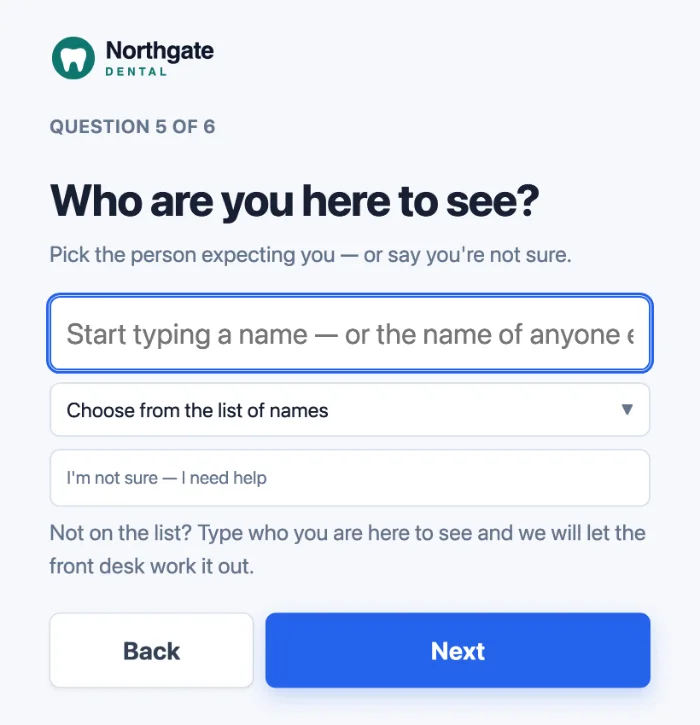
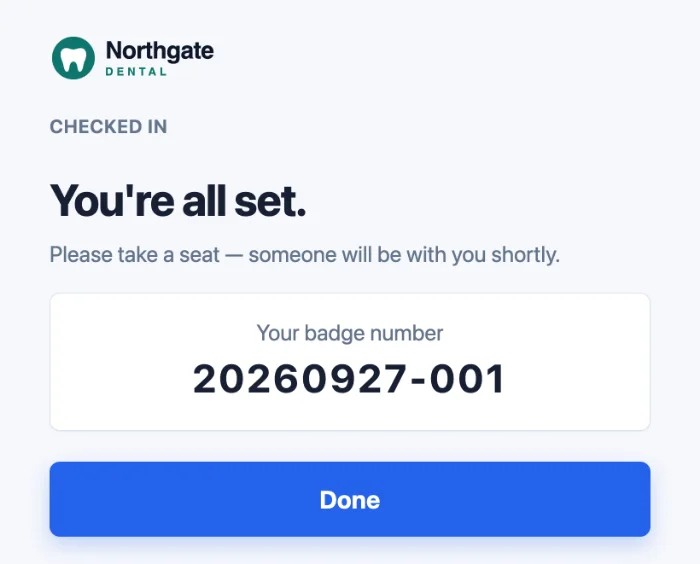
Your logo and your greeting, then one question at a time in large type: name, who they are here to see, what brings them in. Anyone unsure who to ask for can say so, and the front desk is told. At the end they get a badge number, and the screen shows no name, because a waiting room can read over somebody's shoulder.
Whoever the visitor came to see gets a text message or an email, each person choosing which. It carries two short links: one to say I'll take this, and one to close the visit when it is over. Neither needs a login, so the people being visited never have to become users of anything.
If the visitor did not ask for anyone by name, the message goes to the people you nominated for unclaimed arrivals, and the first to tap takes it.
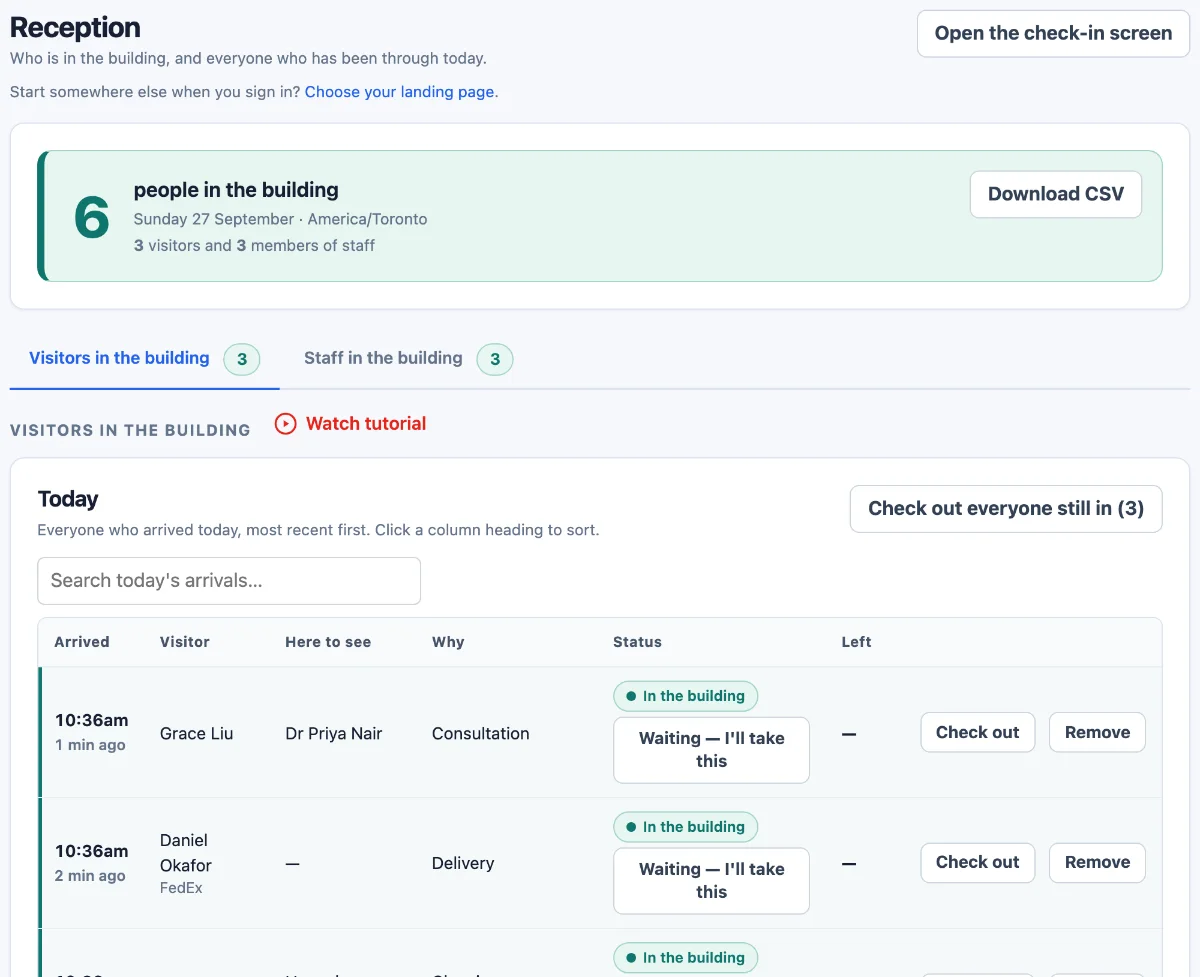
One count that includes staff as well as visitors, because the number a fire warden needs is everybody. Two tabs underneath: the visitors, with who they came to see, why, and whether somebody has taken them; and the staff signed in today.
Check anyone out with one button, check out everyone still in at the end of the day, or download the list as a CSV file. Anyone left from an earlier day is shown apart, so the count is never quietly wrong.
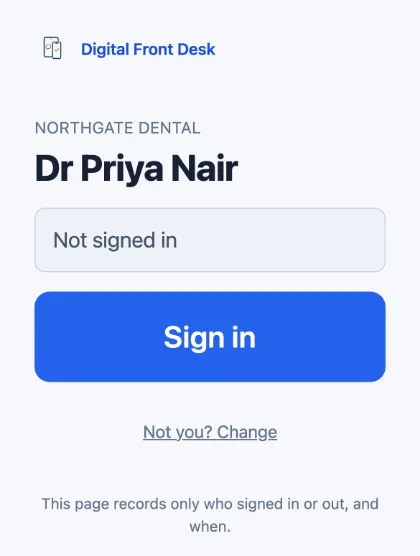
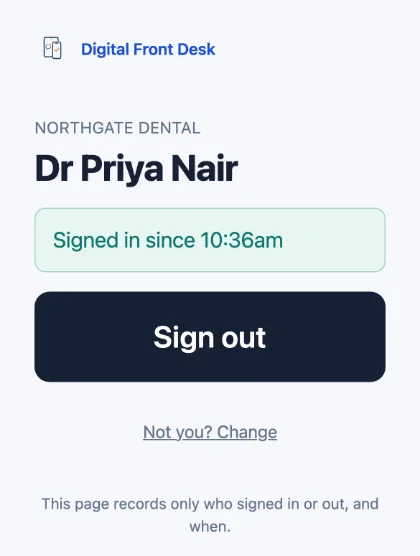
A poster by the staff entrance carries a QR code. Somebody scans it, picks their name once, and from then on the page opens on a single button. One tap and they are counted as in the building; on the way out the same page shows how long they have been in and the button that signs them out.
No app and no login for them either. Anyone still signed in overnight is closed automatically, so the morning starts at zero.
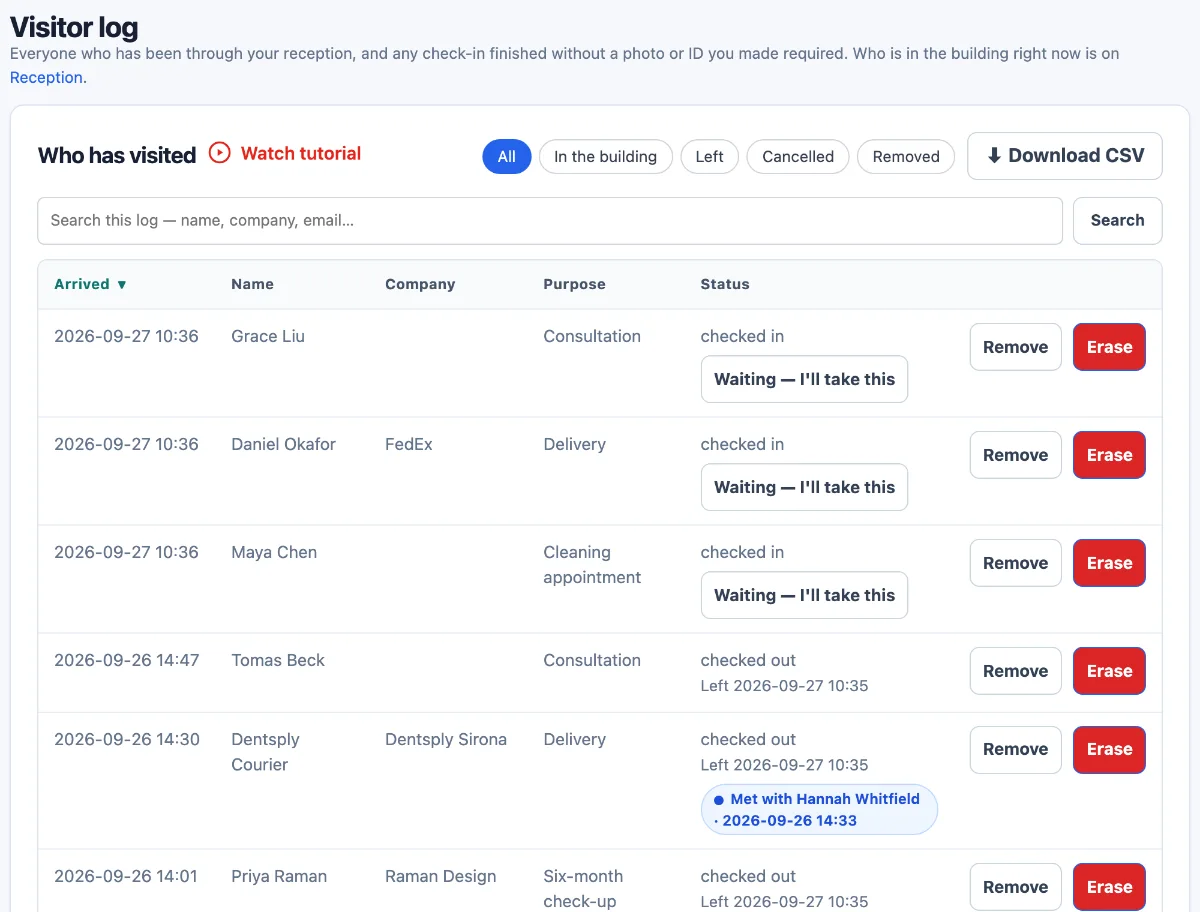
Every visit, newest first, with who they were with and when they left. Filter to who is still in, who has left or who cancelled; search by name, company or email; sort by any column; download it as a CSV file.
What is kept is your choice of three: keep what a visitor typed, clear it after a set number of days, or clear it as soon as the visit is over. A single entry can be removed, or erased for good.
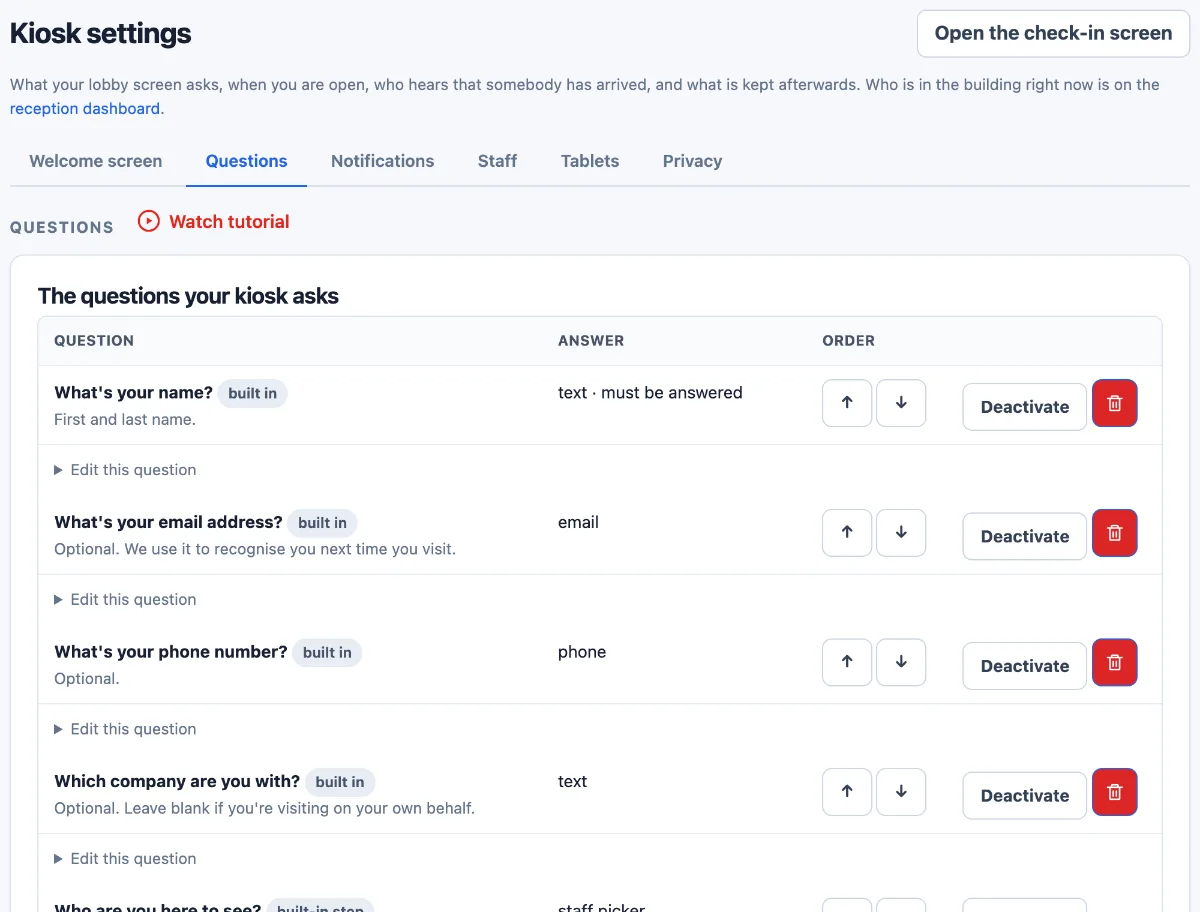
Stored in Canada: application, database and files in Azure Canada Central. Text messages and AI features are processed in the United States — who and where.
Sign up and start today; we're happy to help on a call.
Everything on these tabs is how the software works as soon as you sign up, not a plan you have to ask about.
One Ontario clinic, on its first full day of use: thirteen visitors checked themselves in, and seventeen members of staff signed in from their own phones at the door. Nothing was typed twice and nothing was on paper.
That is one customer's first day, not a claim about what it will do for you. We would rather show you the screens than argue from it.
Per organisation, per month, in Canadian dollars. Visitors are unlimited on every plan — you are never billed for a busy day. Pay for the year and every plan is 20% less.
A single reception desk.
CAD per month, billed monthly
$55 a month billed annually
Email support, answered the next working day.
Try it freeA clinic, firm or office with a full team.
CAD per month, billed monthly
$96 a month billed annually
Email and telephone support, answered the next working day.
Try it freeA care home, campus or multi-building site.
CAD per month, billed monthly
$319 a month billed annually
A number that reaches somebody at any hour if check-in is down.
Try it freeRound the clock means one thing: if visitors cannot check in, we answer at any hour, any day. Everything else is the next working day. More than 500 people? Tell us what you need. Prices exclude tax.
Tell us the trade you are in, the province, roughly how many people come through in a week, and whether you already have a tablet. We will tell you honestly whether this fits before anyone talks about money.
Reading this because of a privacy question rather than a product one? The privacy pages set out what is collected, what is kept and who processes it. They were written by the people who built the software and have not been through a lawyer, and they say so.
 Digital Front Desk